
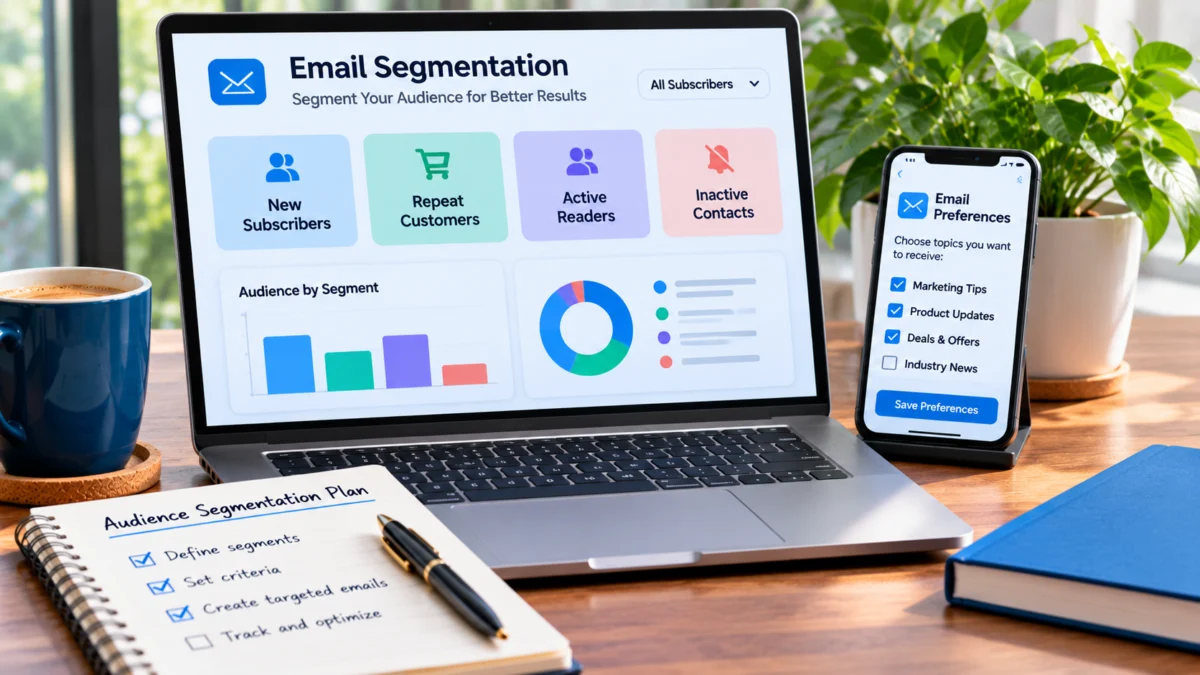
Email segmentation helps small businesses send more relevant messages without creating a separate campaign for every subscriber. Instead of sending the same email to the entire list, you group subscribers by what they are interested in, how they joined, what they have purchased, or how they interact with your business. You can then adjust the message, offer or timing to better match each group’s needs.
The simple email segmentation model
What is email segmentation?
Email segmentation is the process of dividing an email audience into smaller groups based on shared characteristics or behaviour. A segment might include subscribers who selected a particular topic, customers who purchased a certain product, people who joined through a specific guide, or subscribers who clicked a recent campaign.
Segmentation is different from personalisation. Personalisation changes an individual message, such as displaying a subscriber’s name or recommended product. Segmentation groups people who share a relevant attribute so that you can send a more suitable version of a campaign to the group. The two methods can work together, but adding a first name to a generic email is not the same as understanding what each audience group needs.
Why small businesses should segment their email lists
A small business does not need a complex customer data platform to make email more relevant. Even a few well-designed segments can help you avoid sending irrelevant promotions, welcome new subscribers properly and recognise existing customers.
- More relevant campaigns: subscribers receive information connected to their interests or relationship with your business.
- Better customer experience: a new prospect does not receive the same message as a loyal customer who already knows your products.
- More useful automation: signup source, purchase events or customer status can trigger an appropriate follow-up.
- Fewer unnecessary messages: you can exclude people who have already purchased or completed the action being promoted.
- Clearer measurement: you can compare how different groups respond to a campaign or offer.
- More thoughtful retention: you can support repeat customers and check in with people who have stopped engaging.
Segmentation does not guarantee more sales or better deliverability by itself. It gives you a way to match the message to the audience. The quality of your data, the relevance of your content and the experience after the click still matter.
Seven practical email segmentation strategies
Start with the data your business already collects. Choose a small number of segments that lead to a different message or action. These seven strategies work for many local businesses, online shops, professional services, creators and small software companies.
1. Segment by interests and selected preferences
Ask subscribers what they want to hear about, then use their answers to organise relevant content. A subscriber who chooses SEO tips may want practical search advice, while someone who selects website performance may prefer speed and technical optimization updates.
You can collect preferences through a signup form, a preference centre or a short survey. Keep the choices specific and understandable. Avoid asking for information that you do not need, and let people update their selections later.
Example: a digital marketing newsletter
- SEO and search visibility
- Content marketing and blogging
- Email marketing and automation
- Website performance and analytics
Send each group useful content in its chosen subject area, while keeping general announcements limited to subscribers who have requested them.
Campaign idea: Send a monthly roundup for each selected topic, or use the preference to choose which educational emails a subscriber receives.
2. Segment by signup source or lead magnet
The page, campaign or resource that brought someone to your list can reveal what they were looking for when they subscribed. Someone who downloaded a website audit checklist may be interested in technical SEO. A person who joined through a content calendar template may be more interested in planning and publishing.
Record the signup source in your email platform or CRM when a person subscribes. Use a consistent tag or source field, such as lead-magnet-seo-checklist, lead-magnet-content-calendar or newsletter-footer-form. Do not assume that requesting a one-time resource gives permission for unrelated ongoing marketing. Keep the marketing subscription and its scope clear.
Campaign idea: Follow up with a related tutorial, checklist or product explanation that continues the subject of the resource the subscriber requested.
3. Segment by lifecycle stage and customer status
A new subscriber, first-time buyer, repeat customer and inactive customer have different needs. A new prospect may need an introduction. A recent buyer may need setup instructions or product care advice. A repeat customer may appreciate relevant complementary products or useful advanced tips.
Useful lifecycle groups include:
- New subscriber: has recently joined and needs the promised resource or welcome information.
- Prospect: is subscribed but has not completed the main purchase or enquiry action.
- First-time customer: has made an initial purchase and may need onboarding or usage support.
- Repeat customer: has purchased more than once and may benefit from relevant add-ons, restock information or loyalty updates.
- Lapsed customer: has not purchased again within a period that makes sense for the product or service.
Set the time window to match your buying cycle. A customer who buys a consumable item every month should not be treated the same as someone who buys a long-lasting product once every few years.
Campaign idea: Use a welcome series for new subscribers, a helpful post-purchase guide for first-time buyers, and a relevant replenishment or loyalty email for repeat customers.
4. Segment by purchase history and other meaningful behaviour
Actions can indicate what a subscriber is trying to do. If your store or CRM records purchases, product categories, enquiry requests or trial activity, those events can help you send a more relevant follow-up.
Examples include people who bought a particular product category, customers who have not reordered within the expected period, subscribers who requested a quote, or users who started a product trial but have not completed setup. Use only activity that you collect transparently and are allowed to use for the intended purpose.
For an online store, a useful segment might be “purchased skincare but not haircare”. For a service business, it might be “requested a website audit but has not booked a consultation”. For a software company, it could be “created an account but has not connected the first data source”.
Campaign idea: Recommend a compatible product, provide the next setup step, or answer the question most likely to prevent the customer from moving forward. Avoid sending an abandoned-cart message if the customer has already completed the purchase.
5. Segment by email engagement
Engagement segments help you understand who is interacting with your campaigns and who may have lost interest. You might create active, occasional and inactive groups based on recent clicks, replies or other meaningful activity.
Use clicks and conversions as stronger intent signals than opens alone. Apple Mail Privacy Protection and similar privacy features can generate open events that do not necessarily represent a person reading the message. Klaviyo documents how automatic privacy-related opens can inflate open data and provides a filter for excluding them from an engagement segment.
| Engagement group | Illustrative rule | Useful message |
|---|---|---|
| Active | Clicked a campaign or completed a meaningful action in the last 30 days. | Relevant new content, product updates or a useful next step. |
| Occasional | Has clicked in the last 31 to 90 days. | A focused newsletter or content roundup. |
| Inactive | Has not clicked or completed a meaningful action in 90 days or a suitable period for your sending cadence. | A restrained re-engagement message or preference update, followed by suppression if they remain inactive. |
These windows are examples, not universal thresholds. A weekly newsletter and a quarterly business update need different definitions. Do not keep sending repeated “We miss you” campaigns to people who do not respond. Review your sender reputation and suppression process as well as the segment’s size.
6. Segment by location, service area or time zone
Geographic segmentation is useful when your business has location-based services, events, shipping constraints or regional content. A local retailer may announce an in-store event only to subscribers in the surrounding area. A consultant may send a webinar invitation at a suitable time for different regions. An online store may need to show shipping or availability information that varies by destination.
Use the least detailed location information that fulfils the purpose. Country, region or time zone is often sufficient. Avoid collecting a full home address just to choose an email send time.
Campaign idea: Share local event details, region-specific availability, local opening hours or a webinar time converted to the subscriber’s time zone.
7. Segment by business type, role or customer need
For a business-to-business company, the same service may solve different problems for different kinds of customers. A marketing agency might serve online retailers, local service providers and software businesses. Their examples, buying priorities and useful resources will not always be the same.
Ask one or two optional questions that help you tailor the content, such as business type, role or the main challenge the subscriber wants to solve. Avoid collecting a long list of demographic details that will not change your communications. Make sure every requested field has a clear purpose.
Campaign idea: Share a retail-focused case study with online stores, local lead-generation advice with service businesses, and onboarding or product-led growth resources with software teams.
Examples of useful segments for a small business
The following examples show how the seven strategies can translate into simple, maintainable segments. The exact data fields depend on your email platform and the information your business lawfully collects.
| Segment | Example condition | Campaign example | Exclude |
|---|---|---|---|
| New subscribers | Subscribed within the last 7 days. | Welcome message and promised resource. | Unconfirmed, unsubscribed or suppressed contacts. |
| SEO readers | Selected SEO topics or joined through an SEO resource. | SEO checklist, technical guide or search update. | People who did not request marketing emails. |
| First-time buyers | Placed exactly one completed order. | Product setup, support or care information. | Refunded or cancelled orders if the campaign is purchase-specific. |
| Repeat customers | Completed two or more orders. | Relevant loyalty benefits or complementary products. | Customers who already purchased the item being promoted. |
| Active readers | Clicked at least one relevant email in the last 30 days. | New articles or deeper resources in the same subject area. | People who opted out or have a complaint or bounce suppression status. |
| Local subscribers | Country, region or service area matches the event or offer. | Local event, appointment or area-specific availability. | People outside the eligible area. |
| B2B audience | Selected business type or role matches the topic. | Relevant case study or industry-specific guide. | Contacts whose stated needs do not match the offer. |
How to create an email segment step by step
You do not need dozens of lists. Most modern email platforms let you create a dynamic segment using conditions, often combining them with AND and OR logic. A dynamic segment updates as subscriber information and activity change. Tags are useful for labelling a source, interest or event, while a segment can use that tag alongside other conditions.
A practical seven-step setup
- Define the campaign goal: decide what the segment should help you achieve, such as onboarding, education, repeat purchase or local attendance.
- Choose the minimum data: use a subscriber preference, signup source, purchase record or relevant engagement event that supports the goal.
- Write the segment rule: state exactly who should qualify and what should exclude someone.
- Check marketing status: send campaigns only to people who are eligible to receive that type of marketing email.
- Preview the contacts: review sample records and make sure the group matches the intended audience.
- Build the matching message: use the group’s needs to choose the subject, content, offer and call to action.
- Measure and refine: compare clicks, completed actions, unsubscribes and complaints, then update the rule if the group is not useful.
Understand AND and OR conditions
Segment builders commonly let you combine conditions with AND and OR. AND makes a segment more restrictive because every stated condition must be met. OR makes it broader because a subscriber can qualify by meeting at least one of the alternatives. The difference matters: a poorly grouped rule can accidentally include contacts you did not intend to target.
| Logic | Example rule | Meaning |
|---|---|---|
| AND | Subscribed to marketing AND selected SEO as an interest. | Must satisfy both conditions. |
| OR | Clicked an SEO email OR downloaded an SEO checklist. | Can qualify through either condition. |
| Combined | Subscribed to marketing AND (clicked an SEO email OR downloaded an SEO checklist). | Must be subscribed and meet at least one relevant interest signal. |
Keep the marketing eligibility condition separate from the interest logic. A tag, purchase, website visit or old customer record is not itself permission to send marketing. Your email platform should exclude unsubscribed, cleaned, suppressed or otherwise ineligible contacts from promotional campaigns.
Tags, lists and dynamic segments: what is the difference?
Different email services use different terms, but the basic concepts are similar. A list or audience is the contact collection. A tag is a label you attach to a contact. A dynamic segment is a rule-based group that updates when the contact data or behaviour changes.
| Tool or concept | Best for | Example |
|---|---|---|
| Audience or list | Holding contact records and their marketing status. | Newsletter subscribers. |
| Tag | Marking a known source, interest or event. | downloaded-seo-checklist. |
| Dynamic segment | Finding contacts who currently meet one or more conditions. | Subscribed contacts who clicked an email in the last 30 days. |
Do not create a separate list for every small interest if your platform can manage preferences or tags within one audience. Duplicating contacts across lists can make consent, unsubscribes and reporting harder to manage. Follow the structure recommended by your email provider and keep a clear record of each contact’s marketing status.
How to avoid over-segmentation
More segments do not automatically create better marketing. If every small group receives a different email, your team may spend more time managing rules than improving the customer experience. Tiny groups also provide too little data to learn whether a campaign is working.
- Start with a few useful groups: new subscribers, active readers, customers and one or two important interest groups are enough for many small businesses.
- Create a segment only when the message changes: if you would send the same content and offer to both groups, they may not need separate campaigns.
- Avoid unnecessary personal data: do not collect sensitive information or infer personal traits just to make a segment more specific.
- Use clear names: name a segment by its purpose and rule, such as
Subscribed - Clicked in 30 Days. - Review overlap: make sure subscribers who qualify for multiple groups do not receive the same campaign several times.
- Set a useful review date: update rules when products, customer behaviour or your sending schedule changes.
Keep segmentation based on information that people have provided or on relevant business interactions that you have transparently collected and are allowed to use. Do not build marketing segments around sensitive traits such as health conditions, religion, political beliefs or other highly personal characteristics. Where a preference can be asked directly, let the subscriber choose rather than guessing.
Measure the performance of each segment
Choose measures that match the goal of the campaign. If the segment is designed to encourage a first purchase, measure completed purchases and revenue. If the goal is to help subscribers use a service, measure activation or completion of the relevant setup task.
| Metric | What to learn | Possible adjustment |
|---|---|---|
| Delivered and bounce rate | Whether addresses are valid and messages are reaching inbox providers. | Review signup quality, authentication and list hygiene. |
| Unique click rate | Whether the message and call to action are relevant. | Improve the topic, link placement or offer match. |
| Conversion rate | Whether the segment completes the intended business goal. | Review landing page, offer, timing and audience criteria. |
| Unsubscribe rate | Whether messages feel irrelevant or too frequent. | Check the signup promise, preferences and sending cadence. |
| Spam complaint rate | Whether recipients recognise and want the messages. | Review permission records, source quality and relevance before resending. |
Compare campaigns over similar time periods and to similar audience groups. Avoid drawing strong conclusions from a handful of contacts or one send. Also treat open rates cautiously because privacy features can inflate opens without a person actively reading the message.
Respect consent, privacy and inbox rules
Segmentation should make communication more relevant, not become a way to work around permission or privacy requirements. Marketing eligibility must be checked before a campaign is sent, and the business should honour the subscriber’s preferences and opt-out request across all relevant segments.
- Keep a clear record of how and when the person subscribed, including the purpose or topics they selected where relevant.
- Do not add unsubscribed or suppressed contacts back into a marketing segment because they have made a purchase or visited a page.
- Use only the data needed for the campaign, explain how it is used and restrict access appropriately.
- Give recipients a clear way to unsubscribe. For senders meeting Gmail’s bulk-sender threshold, Google requires one-click unsubscribe for marketing and subscribed messages.
- Configure sender authentication and monitor spam complaints. Google’s sender requirements include SPF or DKIM for all senders to personal Gmail accounts, with additional SPF, DKIM and DMARC requirements for bulk senders.
For a practical overview of collecting permission-based subscribers, see our guide on how to build an email list. For automation and lifecycle messaging, read our welcome email series guide. Our email deliverability and compliance guide covers sender authentication and regional outreach considerations.
A simple segmentation plan for your first month
WEEK 1
Audit your data
Review signup sources, interest fields, purchase records and marketing status.
WEEK 2
Create three starter groups
Build new subscribers, active clickers and existing customers.
WEEK 3
Match the content
Write one suitable message for each group and test the links and exclusions.
WEEK 4
Review the results
Compare clicks, conversions, unsubscribes and complaints before adding more segments.
Once these initial groups are useful and reliable, add more detailed segments only when they support a real business need. A small, well-maintained segmentation system is easier to understand and improve than a complicated collection of overlapping lists.
Frequently asked questions
What is the best way to segment an email list?
Start with a clear campaign goal and use the most relevant data you already have. For many small businesses, useful starting points are signup source, selected interests, customer status and recent clicks. Add purchase or website behaviour when it genuinely changes the message you send.
How many email segments should a small business have?
There is no ideal number. Begin with a few groups that receive meaningfully different messages, such as new subscribers, active readers and customers. Add another segment only when it has a clear purpose and enough contacts to evaluate.
What is the difference between a tag and a segment?
A tag is usually a label attached to a contact, such as the name of a resource they downloaded. A dynamic segment is a group created by rules, such as subscribed contacts who clicked an email recently. A segment can use one or more tags as conditions.
Can one subscriber belong to multiple segments?
Yes. A person may be interested in multiple topics, have purchased more than one product category and also be an active subscriber. Check for overlapping campaign recipients so that the same message is not sent more than once in a single campaign.
Should I segment by email opens?
Do not rely on opens alone. Privacy features such as Apple Mail Privacy Protection can generate automatic opens, which may overstate engagement. Use clicks, replies, conversions and other meaningful actions alongside open data.
Does email segmentation improve deliverability?
Relevant messages can help reduce unwanted email and improve the recipient experience, but segmentation alone does not guarantee inbox placement. Permission, authentication, list quality, complaint rates and easy unsubscribe options remain important.
How often should I update my email segments?
Dynamic segments can update when subscriber data or activity changes. Review your segment definitions regularly, especially after a product launch, change in customer journey or a shift in sending frequency. Make sure old tags and outdated rules do not keep targeting people incorrectly.
Official sources and further reading
These resources explain practical segmentation methods, segment conditions, purchase and engagement filters, and current Gmail sender requirements. Use the documentation for your email platform when setting up the actual conditions and exclusions.
| Source | What it covers | Resource |
|---|---|---|
| Mailchimp | Segmentation by interest, geography, behaviour, engagement and lifecycle stage. | Segmentation strategies ↗ |
| Mailchimp Help Center | Advanced segment conditions, AND/OR logic, contact status and activity filters. | Advanced segment builder ↗ |
| Mailchimp Help Center | Purchase activity, product categories, order history and purchase-based conditions. | Purchase activity segments ↗ |
| Mailchimp | Audience data, tags, groups and segments for targeted communication. | Manage audience data ↗ |
| Klaviyo Help Center | Creating engaged subscriber segments and accounting for Apple Mail Privacy Protection opens. | Engaged email segments ↗ |
| Google Gmail Help | Sender authentication, permission-based sending, spam rates and unsubscribe requirements. | Email sender guidelines ↗ |
| Google Gmail Help | Bulk-sender rules, the 5,000-message threshold and compliance monitoring. | Sender guidelines FAQ ↗ |
Good email segmentation starts with understanding what subscribers want and what they have actually done. Keep the rules simple, use relevant data responsibly and send messages that help each group take a useful next step. Review the results regularly, and only add complexity when it improves the experience for your audience.