
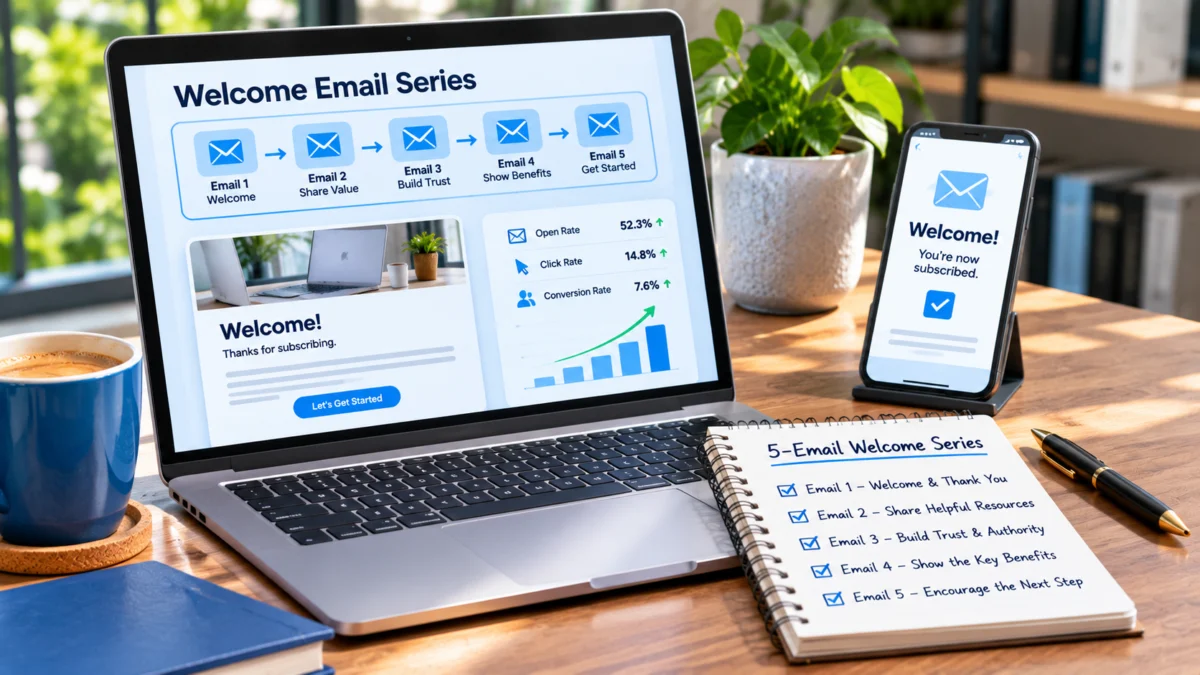
A welcome email series gives a new subscriber a useful first experience with your business instead of leaving the relationship to a single automated greeting. A well-planned sequence delivers what the person asked for, explains what makes your business relevant, helps them get an early result, answers common questions and offers one sensible next step. The goal is not to push a sale into every message. It is to build enough trust and understanding that the right subscriber can decide whether to buy, book, start a trial or continue learning.
The five-email welcome framework
What is a welcome email series?
A welcome email series is an automated set of messages sent to people after they subscribe to a newsletter, request a resource, create an account or otherwise choose to receive your marketing emails. The series is normally triggered by a signup event and delivered over a planned period, with each message having a specific purpose.
A single welcome email can confirm a signup and provide a download. A series gives you more room to introduce your business, demonstrate value and guide the subscriber towards a suitable next action. It is especially useful when someone needs more context before buying a product, booking a service or starting a software trial.
Keep marketing permissions clear. A person who asks for an order receipt, password reset or one-time download has not automatically agreed to receive an ongoing promotional sequence. Make sure the trigger represents a valid marketing subscription or other lawful basis for the messages you plan to send. For a practical foundation on collecting subscribers, see our guide on how to build an email list.
Plan the five emails before writing them
Give every email one primary job and one main call to action. The following schedule is a practical starting point for a general newsletter or lead-generation sequence. It is not a universal rule: adjust the spacing to your product, buying cycle, subscriber expectations and engagement data.
| Timing | Purpose | Primary action | |
|---|---|---|---|
| 1. Welcome and delivery | Immediately | Thank the subscriber, deliver the resource or offer, and set expectations. | Open the resource or get started. |
| 2. Your story | Day 1 | Explain who you help, what problem you solve and why your approach matters. | Learn about the business or reply. |
| 3. Useful quick win | Day 3 | Teach one practical step or show how to use the resource. | Try the tip or read a guide. |
| 4. Proof and questions | Day 5 | Provide genuine evidence, explain benefits and answer a common objection. | View a case study, review or FAQ. |
| 5. Clear invitation | Day 7 | Offer a relevant next step to subscribers who have not already converted. | Buy, book, start a trial or contact you. |
Send the first message as soon as the signup or confirmation process is complete. Space follow-ups so subscribers have time to read, click and act. Mailchimp recommends a short sequence of several emails that focuses on welcoming, benefits and relevant next steps, while Klaviyo’s flow guidance recommends immediate first contact and thoughtful intervals between later messages. Use those as starting points, then test your own audience rather than copying a platform’s timing without measurement.
Email 1: Welcome the subscriber and deliver what you promised
Timing: Immediately after a confirmed signup.
Goal: Reassure the subscriber that the signup worked, deliver the promised download or incentive, and explain what will happen next.
This is the most important message in the sequence. If someone signed up for a checklist, send the checklist link near the beginning of the email. If they requested a discount, show the code and the terms clearly. If they joined a newsletter, thank them and confirm the subject and frequency they selected.
SAMPLE EMAIL 1
Subject: Welcome! Your [resource name] is ready
Preview text: Here is what you requested, plus what to expect from us.
Hi [First name],
Thanks for joining [Brand]. You are in, and your [checklist, guide or offer] is ready here:
[Get your resource]
We created this to help you [specific benefit]. Over the next week, I will send a few short emails with practical advice, useful examples and ways to take the next step. You can expect [frequency] emails about [topic].
Need help? Reply to this email and tell us what you are working on.
Thanks,
[Sender name]
[Brand]
Primary CTA: Download the resource or use the promised offer.
Do not make this first message a wall of product pitches. Deliver the value that earned the signup. If the subscriber completed double opt-in, make sure this welcome message is sent after confirmation, not before it. If the signup was only for a transactional update and did not include marketing permission, do not add the person to a promotional series.
Email 2: Tell your story and explain why you are different
Timing: Day 1.
Goal: Make the business feel human and relevant by explaining who it serves, the problem it focuses on and the approach it takes.
A short founder or team story can help a subscriber understand why your organisation exists. Avoid a long company history. Connect the story to the reader’s problem: what you noticed, why it matters and how your work helps. For a personal newsletter, this might be the experience that led you to start writing. For a software business, it could be the workflow problem that inspired the product.
SAMPLE EMAIL 2
Subject: Why we started [Brand]
Preview text: A little about who we help and the problem we want to solve.
Hi [First name],
When we started [Brand], we kept seeing [specific problem] make it harder for [audience] to [desired result]. We wanted to make that part simpler.
Our approach is straightforward: [explain your method or point of difference in one or two sentences]. It is designed for people who want [specific outcome] without [common frustration].
That is the kind of practical help we will share with you. You can learn more about our approach here:
[Meet the team or read our story]
What are you hoping to improve right now? Just reply and tell me.
[Sender name]
Primary CTA: Read the story or reply with a goal.
Use a real story and a real point of difference. Do not invent a founder anecdote, customer result or personal detail to make the email sound more emotional. A short, honest explanation is more persuasive than an exaggerated origin story.
Email 3: Give the subscriber a quick win
Timing: Day 3.
Goal: Prove that your emails are useful by helping the subscriber complete one manageable task.
Choose a tip that can be applied quickly. A marketing consultancy could show a simple campaign improvement. A software company could demonstrate one useful feature. An online store could explain how to choose or use a product. A publisher could share a concise tutorial or link to its most useful article.
Keep the lesson focused. Explain the problem, give two or three steps, and show what to do next. This email should make the reader feel that subscribing was a good decision even if they do not buy anything yet.
SAMPLE EMAIL 3
Subject: Try this simple [topic] improvement today
Preview text: One practical step you can complete in a few minutes.
Hi [First name],
Here is one small change that can help with [problem]:
Step 1: [First practical action].
Step 2: [Second practical action].
Step 3: [How to check the result].
Start with this before changing anything else. It gives you a simple way to see whether [desired result] is improving.
For a deeper walkthrough, use this guide:
[Read the practical guide]
[Sender name]
Primary CTA: Try the quick win or read the tutorial.
Choose a resource that matches the subscriber’s signup source. Someone who downloaded an SEO checklist should receive an SEO-related tip, not an unrelated product promotion. This is where signup forms, interest tags and preference selections can make a welcome series more relevant.
Email 4: Build confidence with proof and answer questions
Timing: Day 5.
Goal: Help the subscriber understand whether your product, service or content is a credible fit.
People may like your offer but still hesitate because they are unsure about price, time, complexity, support, compatibility or expected results. Use this email to answer one or two real questions and provide evidence that helps a reader make an informed decision.
Useful proof can include a customer testimonial used with permission, a named case study, a transparent product demonstration, a third-party review, a before-and-after example or a clear explanation of your process. Give context for any result you quote. Do not imply that one customer’s outcome is guaranteed for everyone.
SAMPLE EMAIL 4
Subject: Is [product or service] right for you?
Preview text: A real example and answers to common questions.
Hi [First name],
You might be wondering whether [product or service] is suitable for your situation. Here is how it helps with [specific problem].
[Insert a genuine customer example, case study or product demonstration. Include the context and what was actually achieved.]
A few common questions:
Does it work for [use case]?
[Clear, accurate answer.]
How much time or effort does it take?
[Honest explanation of the setup or learning process.]
Explore the details and decide whether it fits your needs:
[See how it works]
[Sender name]
Primary CTA: View the evidence, product details or FAQ.
If you do not yet have customer testimonials, do not create fake reviews. Use a real demonstration, an accurate comparison, a transparent explanation of your process or a sample of the work instead.
Email 5: Invite the subscriber to take the next step
Timing: Day 7.
Goal: Present one relevant action to subscribers who have not already purchased, booked or completed the key activation step.
By this stage, the subscriber has received the promised resource, learned who you are, seen useful advice and had an opportunity to understand your offer. Now make the next step clear. Depending on your business, that might be buying a product, booking a consultation, starting a free trial, requesting a quote, registering for a workshop or simply replying to discuss a requirement.
Use a discount only if it is a genuine offer with clear conditions and a real expiry date. Do not invent scarcity, reset countdown timers or claim that an offer is ending when it is not.
SAMPLE EMAIL 5
Subject: Ready to take the next step with [Brand]?
Preview text: Here is the simplest way to get started.
Hi [First name],
Over the last few days, we have shared [resource or topic], explained how [Brand] works and shown how you can make progress with [problem].
When you are ready, the next step is simple:
[Book a call, start your trial or explore the product]
You can review the details before making a decision. If you are unsure whether it is right for you, reply to this email and tell us what you need help with.
Thanks for being here,
[Sender name]
Primary CTA: Take one clearly defined next step.
Do not send a purchase reminder to someone who has already bought. Add a purchase or conversion exit rule so the subscriber leaves the acquisition series as soon as the target action occurs. Existing customers may need a thank-you, setup or onboarding journey rather than another first-purchase offer.
Adapt the sequence to your type of business
The five-email structure is flexible. Keep the same relationship-building logic, but change the proof, quick win and final action to match what you sell and how customers make decisions.
| Business type | Useful quick win | Suitable proof | Final next step |
|---|---|---|---|
| E-commerce store | Product selection or care tip. | Verified reviews, product details or a real customer story. | Explore a relevant collection or first order. |
| SaaS or software | Complete one useful setup task. | A product walkthrough, case study or documented use case. | Activate a feature, start a trial or book a demo. |
| Consultant or agency | A short audit tip or diagnostic checklist. | A real project example and a clear description of the process. | Book a discovery call or request a quote. |
| Publisher or creator | A tutorial, curated reading list or practical resource. | Reader feedback, published work or a transparent example. | Read a featured guide, join an event or support a membership. |
| Online course or membership | A starter lesson or small exercise. | Course outline, instructor credentials or permitted learner feedback. | View the curriculum, enrol or attend an information session. |
For a high-value service or longer sales cycle, extend the gaps or use a longer education sequence. For a simple purchase, a shorter flow may be enough. The subscriber’s expectations and engagement should guide the schedule.
Set up the automation correctly
Once the five messages are written, build the automation in your email service provider. The names of menus vary, but most platforms use a trigger, delays, filters, message actions and conditional branches.
Welcome flow setup checklist
- Choose the right trigger: use a confirmed marketing subscription or the specific signup event that grants permission for the series.
- Separate subscriber groups: distinguish a new prospect from an existing customer, trial user or someone who subscribed for a different topic.
- Send email one immediately: deliver the requested resource or offer once the required confirmation is complete.
- Add the delays: configure the later emails using the sequence timing as a starting point.
- Add conversion exits: remove or branch subscribers who buy, book, activate or otherwise complete the goal.
- Check consent and suppression: honour unsubscribes, complaints, bounced addresses and topic preferences.
- Test every path: confirm links, personalisation fallbacks, timing, mobile rendering and exit rules.
- Turn on and review: monitor actual results and refine one part of the flow at a time.
Use segmentation and behaviour-based branches
A welcome series should respond to what the subscriber did, not just the number of days since signup. Start with simple branches that improve relevance without making the automation difficult to maintain.
- Signup source: send a different quick win to someone who joined through a product guide than to someone who requested a general newsletter.
- Customer status: send first-purchase guidance to new prospects and product-use or loyalty content to existing customers.
- Interest or preference: use the topics the person selected to choose examples, articles or product categories.
- Conversion event: stop the prospect series when someone purchases, books or completes the main goal.
- Engagement: use meaningful clicks, replies or product activity to determine which follow-up is most relevant. Do not rely on an open alone as proof of intent.
Keep the first version manageable. A single welcome series with one or two useful branches is often easier to maintain than a complicated tree of dozens of paths. Add another branch only when the audience groups genuinely need different messages.
Make every welcome email easy to read and use
Good copy can still fail if the message is difficult to read on a phone or impossible to understand without images. Use a clean layout and test the actual email in common inboxes before activating the automation.
- Use a recognisable sender name: subscribers should recognise the business or person they joined.
- Write honest subject lines: the subject should describe the email rather than promise something it does not deliver.
- Use one main CTA: keep secondary links limited so the next action is obvious.
- Design for mobile: prefer a simple single-column layout, readable text, and buttons with enough space to tap.
- Make the message work without images: use live text for essential information and meaningful alt text for important images.
- Use clear links: describe the destination instead of relying on vague labels such as “click here”.
- Personalise carefully: include a fallback when a first name or other profile field is missing.
- Include required sender and opt-out details: commercial email rules and mailbox-provider requirements still apply to automated messages.
For practical guidance on accessible email layouts and image descriptions, see Harvard’s email accessibility recommendations. For Gmail delivery, follow Google’s sender guidance, including domain authentication and easy unsubscribe options where required. For a deeper look at sender authentication and inbox placement, read our email deliverability and compliance guide. You can also review current email marketing trends for broader changes in privacy and inbox requirements.
Measure whether the welcome series is working
Choose the primary goal before launch. A newsletter welcome sequence may aim for useful clicks or replies. An e-commerce flow may aim for a first purchase. A software flow may aim for account activation or completion of a key setup step. Track each email against its intended job rather than judging every message by the same metric.
| Metric | What it tells you | What to improve |
|---|---|---|
| Delivery and bounce rate | Whether messages are reaching valid mailboxes. | Signup validation, authentication and list hygiene. |
| Unique click rate | Whether the content and CTA motivate action. | Relevance, CTA wording, placement and landing-page match. |
| Reply rate | Whether subscribers are willing to start a conversation. | A specific, low-effort question and a recognisable sender. |
| Conversion rate | Whether the series produces the business outcome you set. | Offer fit, proof, checkout or booking experience and audience targeting. |
| Unsubscribe and complaint rate | Whether the series feels irrelevant, unexpected or too frequent. | Consent source, signup promise, cadence and message relevance. |
Use open rates cautiously because privacy features and mailbox behaviour can make them an imperfect measure of human attention. Prioritise clicks, replies, completed actions, unsubscribe trends and complaint signals. Compare similar subscriber groups and date ranges so that a change in traffic source does not distort the result.
Common welcome email series mistakes
- Sending a sales pitch immediately: deliver the promised value first and explain what the subscriber can expect.
- Sending too many messages too quickly: give readers time to use the resource and respond to each email.
- Using the same sequence for every person: at minimum, distinguish new prospects from existing customers where your data permits.
- Continuing after a purchase: add an exit rule or move customers to a suitable post-purchase flow.
- Inventing testimonials or scarcity: use only real evidence and genuine offer deadlines.
- Using too many calls to action: give each email one main next step.
- Ignoring mobile and accessibility: test message rendering, image descriptions, text size and tap targets.
- Forgetting suppression and consent rules: a marketing automation must honour the subscriber’s permission, preferences and opt-out.
Frequently asked questions
How many emails should a welcome series contain?
Five emails are a useful starting point for a business that needs to explain its value, share practical help and invite a first action. A simpler offer may need fewer messages, while a complex service may require a longer educational journey. Keep every email only when it has a distinct purpose.
When should the first welcome email be sent?
Send the first welcome message immediately after the subscriber completes the required signup or confirmation step. If the person must confirm their email address, send the confirmation request first and begin the marketing welcome sequence after confirmation.
How much time should pass between welcome emails?
Start with the sequence schedule in this guide, then adjust based on your audience and results. A common approach is to send the first email immediately and space later emails by roughly one or two days. A longer sales cycle may justify a slower series.
Should a welcome email include a discount?
Only when a discount is part of the signup promise or genuinely fits your offer. Make the terms and expiry clear. A discount is not essential: a helpful resource, product demonstration or consultation invitation can be more appropriate.
What happens if someone buys before the welcome series finishes?
Use a purchase or conversion event to stop the prospect sequence. Move the customer to relevant post-purchase communication, such as delivery updates, setup help or product education. Do not keep sending first-purchase prompts to someone who has already purchased.
Are welcome emails transactional or marketing emails?
It depends on the message’s purpose and the applicable law. A message that solely confirms an action or delivers something already requested may be treated differently from an email that promotes products or services. A welcome series containing promotional content should be assessed as marketing, with the required permission, sender details and unsubscribe controls for the recipient’s jurisdiction.
Official sources and further reading
These resources provide current platform guidance, deliverability requirements, email marketing compliance information and accessible email design recommendations. Check the rules that apply to your subscribers and your own email platform before activating a series.
| Source | What it covers | Resource |
|---|---|---|
| Mailchimp | Welcome message content, expectations, personalisation and automated 3-to-5-email introductions. | Welcome email guide ↗ |
| Klaviyo Academy | Welcome flow triggers, signup incentives, brand story, personalisation and conditional splits. | Welcome series flow guide ↗ |
| Klaviyo Help Center | Practical guidance for spacing automated flow messages and managing sending frequency. | Flow sending frequency ↗ |
| Google Gmail Help | SPF or DKIM, sender authentication, spam-rate guidance and one-click unsubscribe rules for qualifying senders. | Email sender guidelines ↗ |
| US Federal Trade Commission | CAN-SPAM requirements and how the primary purpose of a mixed transactional and promotional email is assessed. | CAN-SPAM compliance guide ↗ |
| UK Information Commissioner’s Office | PECR email marketing, valid consent, subscriber categories and unsubscribe expectations. | Electronic mail marketing guidance ↗ |
| Harvard Digital Accessibility Services | Accessible email design, image alt text and readable email composition. | Accessible email guide ↗ |
A good welcome email series is a short, thoughtful introduction rather than a string of automatic sales messages. Deliver what you promised, explain why your business is useful, help the subscriber achieve a small result, show honest proof and make one relevant invitation. Then use real behaviour to decide what the subscriber should receive next.